
Restrict Checkout for WooCommerce
N/A
Based on 0 reviews
N/A
Based on 0 reviews
Easily control who can access checkout and under what conditions.
Restrict Checkout for WooCommerce allows you to define flexible, rule-based restrictions that determine if a customer is allowed to proceed to checkout. Whether you’re managing bulk purchase rules, access control for specific users, product-based restrictions, purchase history, or regional rules, this plugin provides complete control through multiple layered conditions.
With intuitive options for customer types, user roles, and logical conditions, you can fully customize the checkout experience while ensuring compliance and operational efficiency.
Billed annually at $49.00
 30-Day Money-Back Guarantee
Your purchase is protected! Get a full refund within 30 days if you're not satisfied.
Create unlimited restriction rules, assign custom rule names, set priority levels, and display tailored messages for each restriction.
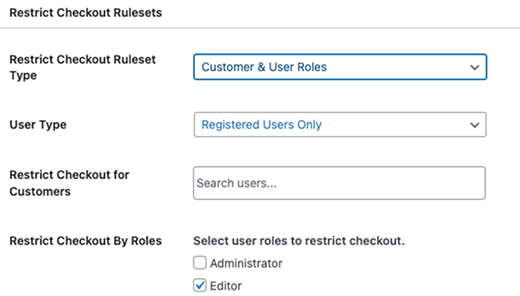
Restrict checkout for Registered users only, Guest users only, or Both.
For registered users, optionally restrict checkout for specific customers or WordPress user roles (Administrator, Editor, Author, Contributor, Subscriber, Customer, Shop Manager).
Add messages to inform customers why checkout is restricted.
Manage which rules apply first if multiple rules are triggered.
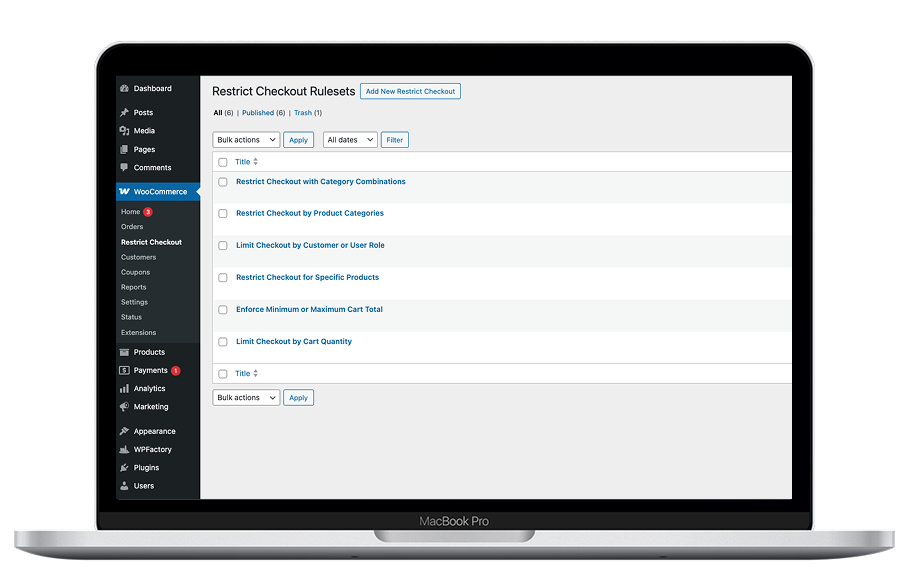
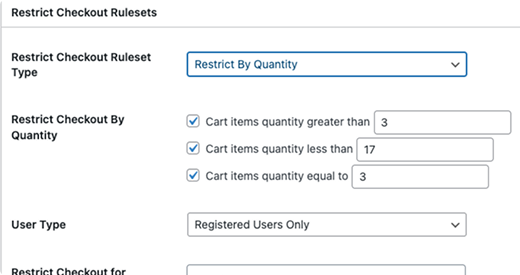
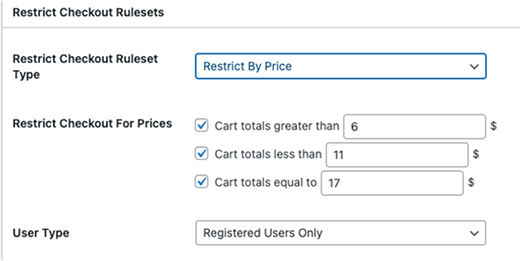
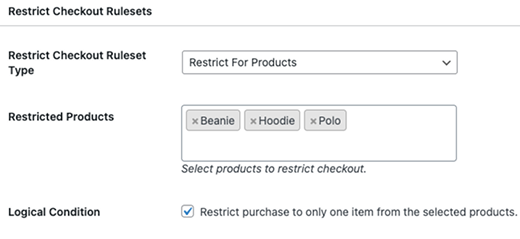
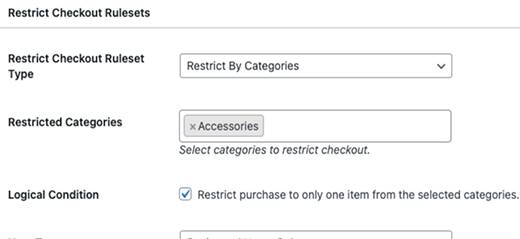
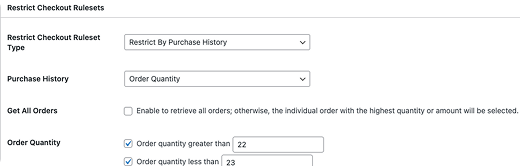
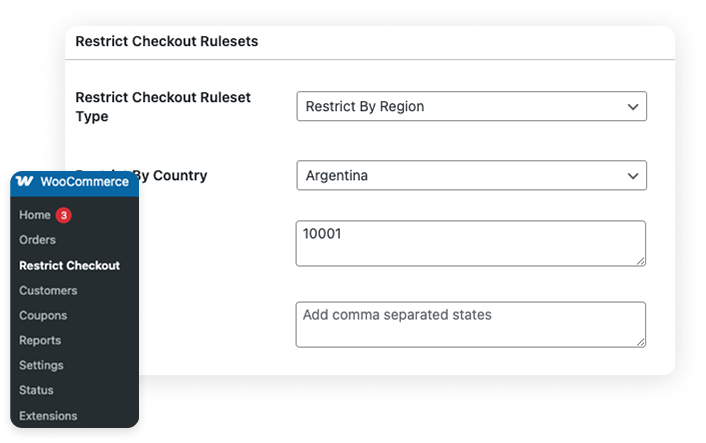
Enforce minimum quantities or minimum spend rules to promote bulk purchases.
Limit checkout to registered users, paying members, or specific customers.
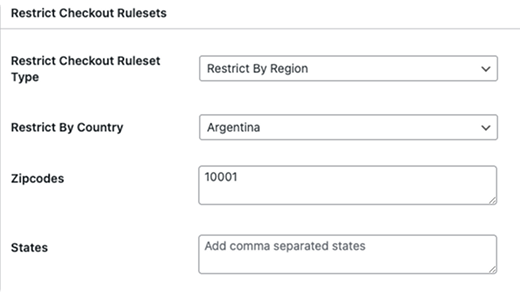
Prevent purchases from restricted countries, states, or zip codes.
Block checkout during pre-launch, weather events, or supply issues.
Restrict checkout for regulated categories based on user roles.
Restrict repeat buyers, first-time buyers, or customers based on prior orders.

Yes. Create a rule for “cart quantity less than 5” and set a custom message such as:
“Item quantity is less than five items, increase items to proceed.”
Yes. Restrictions can be applied to any WordPress user role. Multiple rules can be created for different roles.
Yes. You can restrict by order amount, order quantity, or new buyers with conditional options.
Yes. Restrict by country, state, and zip code to control where orders can be placed.
Yes. Each rule allows a custom restriction message. If multiple rules are triggered, the message with the highest priority (lowest number) is displayed.
Rules are executed based on priority, with lower numbers taking precedence.
” Clients kept on pushing unique requirements for their digital stores and meeting them all was a tedious task. I landed on this site while searching for WordPress plugins like Restrict Checkout for WooCommerce. To my surprise, many options were available here in affordable pricing. Made my life a lot easier! “

” I was still in doubt when my golf mate recommended me to buy from WPKoders, but thankfully, that put an end to my ecommerce worries. The Hide Price and Multistep Product Bundles made the user journey convenient and fluent. Cheers to you people for doing a wonderful job. “

” My journey with WPKoders is a 180-degree turn from abandoned carts, missed opportunities, and lost business to happy customers and inflowing revenue. Could not imagine that a simple extension purchase would lead my business and me to this much growth and desirable results. “

” These plugins transformed my WooCommerce store! The seamless integration, excellent support, and user-friendly features have boosted my sales and efficiency. Highly recommended! “
